
Microsoft Copilot Agents: How MSPs and Small Businesses Can Build, Monetize, and Master the Next Wave of AI Assistants
A practical guide for Microsoft partners and managed service providers to create, sell, and safely scale intelligent Copilot agents that transform small business operations.


Imagine giving every client or your own team a digital coworker that never forgets a process, never misses a deadline, and knows where every piece of data lives.
That’s not a dream anymore. It’s the new frontier in Microsoft 365: Copilot agents built with Microsoft Copilot Studio and Copilot Scenarios.
If you run a managed service practice or support small and midsized businesses (SMBs), these agents represent both a massive productivity opportunity and a new revenue stream. This article explains what agents are, how to build them, and how to turn them into scalable, trustworthy services.
1. What Exactly Is a Microsoft Copilot Agent?
An agent is more than a chatbot. It’s a trained digital coworker that understands your business context, connects to your data, and performs specific tasks on your behalf.
Let’s start with the simplest definition:
A Microsoft Copilot agent is a focused, role-based assistant you design to solve one kind of problem exceptionally well.
Where the standard Copilot acts as a general-purpose helper across Microsoft 365, agents are specialists. You teach them how your business works, define their responsibilities, and let them handle repetitive or structured tasks.
Think of it like onboarding a new team member. You give them:
A handbook (instructions) that explains their responsibilities and behavior.
A filing cabinet (knowledge) that stores company information.
Access to tools (actions) such as the apps and APIs they use to get work done.
Over time, they learn your workflows. The difference is that this teammate doesn’t quit, sleep, or forget.
Here’s what makes agents powerful in the Microsoft ecosystem:
Connected knowledge through SharePoint, OneDrive, Dataverse, and more.
Tool execution that allows them to send messages, create tasks, or trigger workflows.
Contextual awareness that lets them understand people, projects, and permissions automatically.
👉 Learn more: Overview of Microsoft Copilot agents
In short, an agent is a Copilot with a job title.
2. Copilot Studio Lite vs. Full Copilot Studio
Microsoft offers two ways to build agents. One is quick and simple. The other offers full control and scalability.
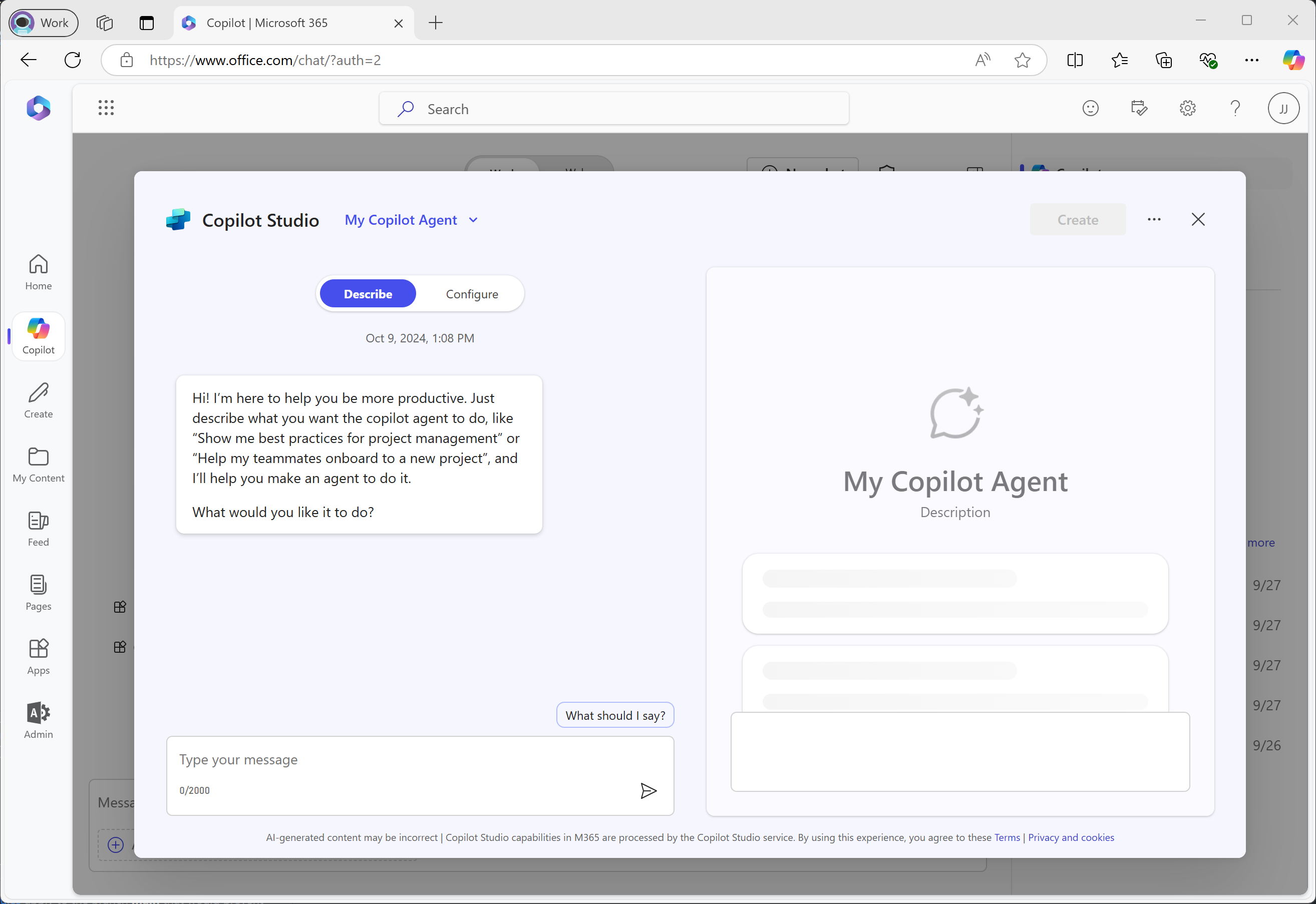
Copilot Studio Lite is the “instant start” experience. It lives inside Microsoft 365 Copilot and lets you describe your agent in plain English:
“Create an agent that monitors overdue invoices and drafts reminder emails.”
Connect it to your data sources, adjust permissions, and it’s ready in minutes. Perfect for pilots or single-purpose workflows.
Full Copilot Studio is the advanced, low-code environment that lets you:
Design conversational flows
Integrate APIs and Power Automate
Publish to Teams, web, or external channels
Manage permissions, analytics, and branching logic
If Lite is your starter kit, full Studio is your production workshop.
Most partners begin in Lite to validate value, then move to full Studio for more complex workflows or commercial use.
Copilot Scenarios are Microsoft’s prebuilt experiences, such as Sales Copilot and Service Copilot, where you can integrate your agents directly.
👉 Learn more about Copilot extensibility and scenarios.
3. Building Your First Agent (Step-by-Step)
Here’s a simple, low-stress way to go from concept to live Copilot agent.
Step 1: Define the Job
Choose one clear, valuable role:
Handle client invoice reminders
Summarize service tickets daily
Answer internal HR policy questions
Step 2: Describe Its Mission
In Copilot Studio Lite, describe the agent like you’re briefing a new hire:
“You are a finance assistant who tracks overdue invoices, prepares polite reminders, and alerts managers when an account hits 60 days overdue.”
This becomes its instruction layer or job description.
Step 3: Connect Knowledge
Add data sources like SharePoint, Excel, or CRM systems so your agent knows where to find information.
👉 Add knowledge sources in Copilot Studio
Step 4: Add Tools (Actions)
Actions give your agent the ability to act. It can:
Send Teams messages
Trigger Power Automate flows
Update a record in Dataverse
👉 Add actions and connectors to agents
Step 5: Test and Iterate
Chat with your agent:
“Show me invoices overdue 30+ days.”
“Send reminders for all overdue accounts.”
Refine, test permissions, and adjust tone.
Step 6: Publish and Deploy
Publish internally via Copilot or externally through Teams, web, or other channels.
👉 Publish and manage Copilot agents
Step 7: Monitor and Improve
Analyze usage and refine over time.
👉 Monitor Copilot agent performance
🧭 Explore More: Build Smarter with Microsoft Copilot Agents
Looking to dive deeper or start experimenting?
Here are key Microsoft Learn resources and partner links to guide your build journey.
Microsoft Learn Resources
Security & Governance
Microsoft Partner & MSP Links
AI Cloud Partner Program
SMB Copilot Readiness
Coming Soon from Tech Simplified
We’re developing an SMB Training Track for Microsoft Partners and MSPs who want to design, deploy, and monetize Copilot agents.
If your organization wants early access or collaboration, click here and let us know »
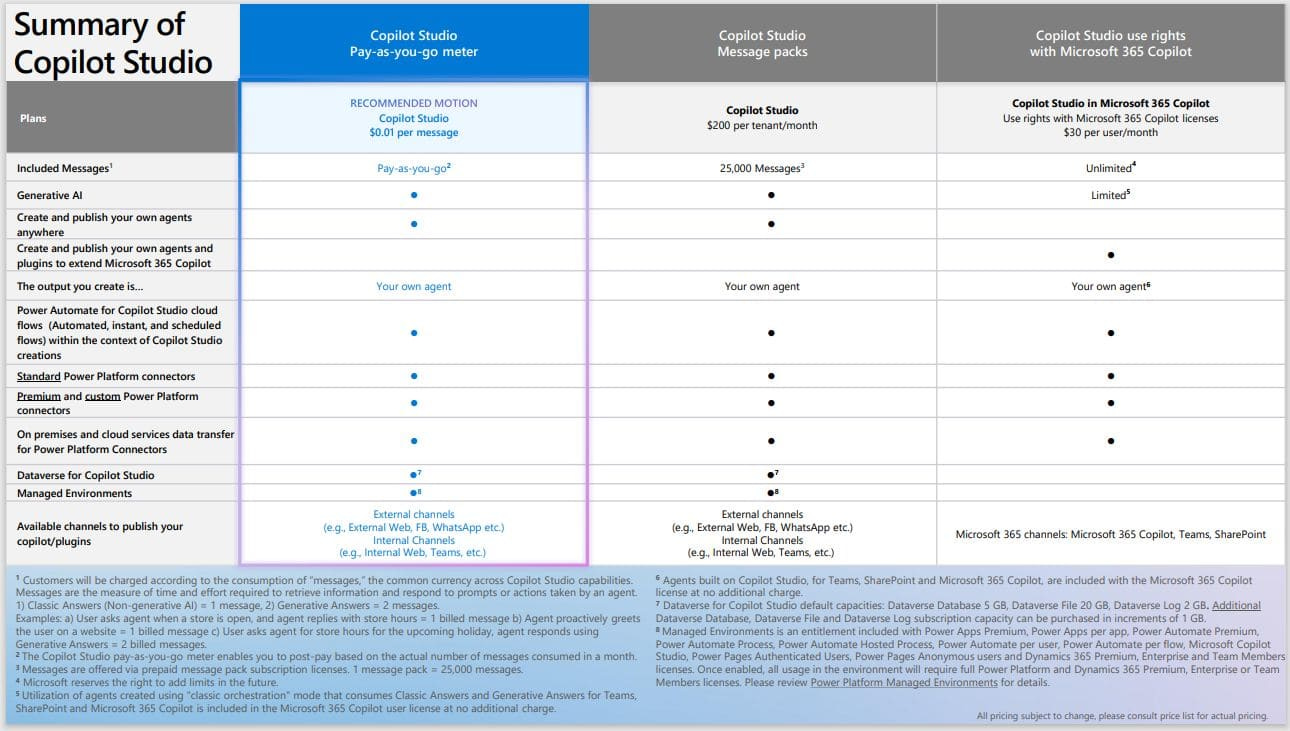
4. Turning Agents into Revenue
Agents can become a cornerstone of your managed services portfolio and create recurring revenue.
Agent-as-a-Service (AaaS) – Build and manage custom agents for clients. Charge setup plus monthly optimization.
Tiered Packages – Offer Basic (read-only), Pro (actions and analytics), and Custom (fully branded) tiers.
Template Licensing – Package your best agents for reuse across clients.
Marketplace Distribution – Publish to the Microsoft Commercial Marketplace.
ROI-Based Selling – Lead with value: “This agent saves five hours per week, roughly $1,200 in admin cost.”
5. Designing for Trust
AI confidence comes from thoughtful design.
Be transparent. Explain what the agent can do and when it’s unsure.
Start safe. Use “suggestion mode” before giving full autonomy.
Audit everything. Log interactions for accountability.
Stay professional. Give your agent a clear, brand-aligned name.
Iterate often. Gather feedback and adjust regularly.
👉 Read Microsoft’s security and governance guide
6. Real-World Example: From MSP to AI Solution Partner
A regional MSP serving legal and accounting firms built a Finance Reminder Agent using Copilot Studio Lite.
Within a week, the agent could:
Identify unpaid invoices
Draft follow-up emails
Escalate high-risk accounts
The MSP offered it as part of a “Smart Office Suite.”
Clients paid a $3,000 setup fee and $400 per month for optimization.
Six months later, the MSP had a stable recurring revenue stream and stronger client retention.
That’s what happens when you move from managing systems to managing intelligence.
7. A Strategic Shift for MSPs
Ten years ago, the move to the cloud redefined IT services.
Now, Copilot agents are redefining them again.
They allow you to:
Offer outcome-based automation instead of uptime guarantees
Deepen client relationships through workflow intelligence
Build intellectual property you can scale across clients
Those who learn early will lead the next transformation wave.
8. Our Next Step: SMB Training for Partners
At Tech Simplified, we’re expanding beyond individual learning paths. We’re creating an SMB Training Track designed specifically for Microsoft partners and MSPs who want to design, deploy, and monetize Copilot agents for small business clients.
If your organization wants early access or partnership in shaping that track, let us know. Early contributors will help define the templates, learning modules, and go-to-market tools launching in 2025.
9. Final Thoughts: Your Next Digital Colleague
Every business will soon have multiple AI agents working in the background to handle billing, onboarding, reporting, and communication.
The question isn’t if they’ll exist.
It’s who will build them.
As a Microsoft MSP or partner, you already have the trust, data access, and business insight clients need. Now, you have the tools.
The best time to start is now.